Showing posts with label 7. Show all posts
Showing posts with label 7. Show all posts
Thursday, January 23, 2014
New Deck Part 7
Finally the walkways are poured, pea gravel in place, topsoil spread (mostly, some will have to wait for some other walks and retaining walls to be done), and some of the plantings done. Still need to plant a lot of vinca around the base of the deck, but that will have to wait for the mulch to be spread since it is easier to pull back the mulch to plant than it is to spread mulch under the vinca vines (which are coming from under the deck). A truck load of mulch is coming tomorrow so I can begin to spread it and Judy can continue to plant the vinca. Even with all that to do, I thought I would post some "final" pictures any way.
Still have a few more outside jobs we would like to get done before it gets too hot. Already too hot in the afternoon to do things like shoveling and raking. Hopefully in a week or so, the guys that did the walks will be able to get back to build a couple of small retaining walls at the other end of the house and a walk between the barn and basement for me to move wood along from the barn to the shop.

We would also like to do a dry stream bed to help with run-off from the end of the drive (down an abandoned section of drive) during extremely heavy rains, but that might have to wait for cooler weather.
Read More..
 |
| Here you can see most of the pile of top soil that I need to spread and some of where I have spread it. |
 |
| A better view of the underside, I think the stain job made a world of difference compared to what it looked like before. |
 |
| Before the staining, walk and topsoil... |
 |
| With the walk poured and the forms removed, we were finally able to finalize the entrance to the deck. |
 |
| Another view of the entrance. |
We would also like to do a dry stream bed to help with run-off from the end of the drive (down an abandoned section of drive) during extremely heavy rains, but that might have to wait for cooler weather.

Wednesday, January 22, 2014
Some Dynamic Components in SketchUp version 7
The dynamic components are really something great. I have updated a lot of the EZ Smart components that I had in the 3D Warehouse. These components can only be modified in specific ways, thus preventing the possible distortion of the item modeled in unwanted ways. for instance, the EZ Rail can only be changed in its length, you cannot change the thickness or width. You can change the length either by using the Scale Tool or by opening the Component Options window and entering the desired length.
I have modified all the extrusion components to act this way. In addition, I have added a choice to either have the component without color, or with my color scheme applied. I have added this feature to almost all of the components and will eventually have them all that way. To add this feature to the more complex models requires considerable boring work, so they will only get that feature later. These components have the color scheme active.
It is these more complex components that I am having the most fun with. For instance, the Circular Saw with EZ Smart Base component has a number of options that can be set. You can enter the depth of cut in the Options Window and apply it and the saw changes to the desired depth of cut, but an additional 1/8" is added to the depth, to clear the bottom of the work piece, just like I do in the real world.
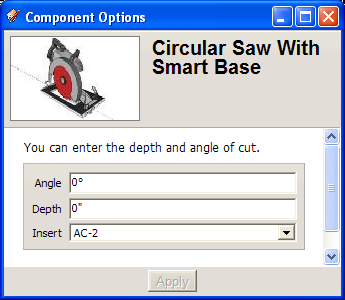
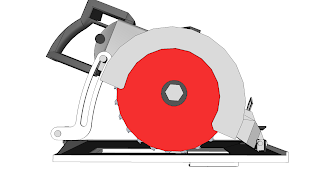
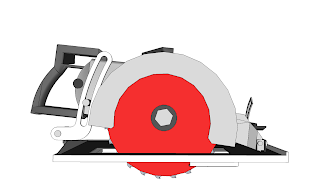
You can select none, AC-1, or AC-2 for the anti-chip insert, but if you change the angle of cut from 0 degrees with the AC-2 selected, the component automatically switches to the AC-1 until the angle of cut is returned to 0 degrees. The angle of cut can be from 0 to 45 degrees.
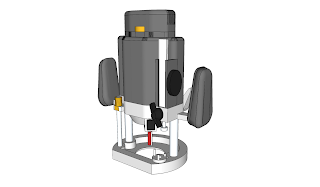
In the tool line, I have also uploaded a router that you canselect the depth of cut and select which bit to use. Currently there are only a straight bit and an ogee bit. Ill add more bits later.
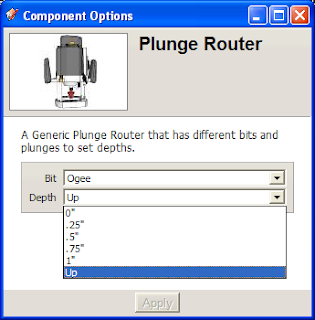
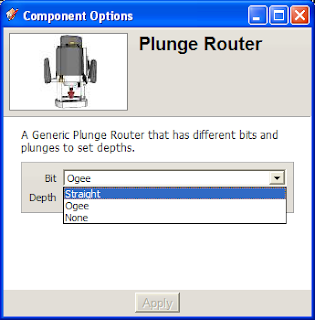
I plan on eventually making the depth of cut so you can enter it rather than picking from a list.
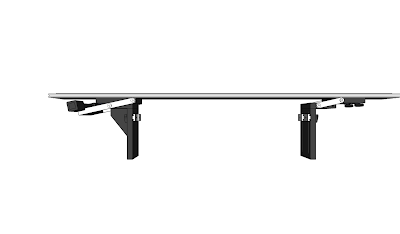
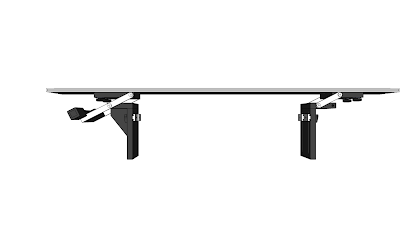
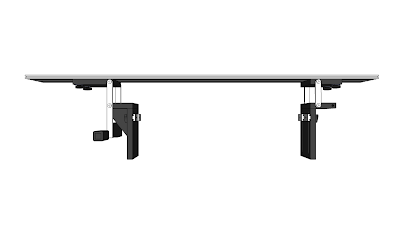
Among the EZ components, is the B-300 bridge that allows you to enter the width of the table it is mounted to, and you can select from full up, full down and 3/4" positions for the bridge. Im working on allowing you to enter the required height, but not there yet.
Read More..
I have modified all the extrusion components to act this way. In addition, I have added a choice to either have the component without color, or with my color scheme applied. I have added this feature to almost all of the components and will eventually have them all that way. To add this feature to the more complex models requires considerable boring work, so they will only get that feature later. These components have the color scheme active.
It is these more complex components that I am having the most fun with. For instance, the Circular Saw with EZ Smart Base component has a number of options that can be set. You can enter the depth of cut in the Options Window and apply it and the saw changes to the desired depth of cut, but an additional 1/8" is added to the depth, to clear the bottom of the work piece, just like I do in the real world.
You can select none, AC-1, or AC-2 for the anti-chip insert, but if you change the angle of cut from 0 degrees with the AC-2 selected, the component automatically switches to the AC-1 until the angle of cut is returned to 0 degrees. The angle of cut can be from 0 to 45 degrees.
In the tool line, I have also uploaded a router that you canselect the depth of cut and select which bit to use. Currently there are only a straight bit and an ogee bit. Ill add more bits later.
I plan on eventually making the depth of cut so you can enter it rather than picking from a list.
Among the EZ components, is the B-300 bridge that allows you to enter the width of the table it is mounted to, and you can select from full up, full down and 3/4" positions for the bridge. Im working on allowing you to enter the required height, but not there yet.
Subscribe to:
Posts (Atom)